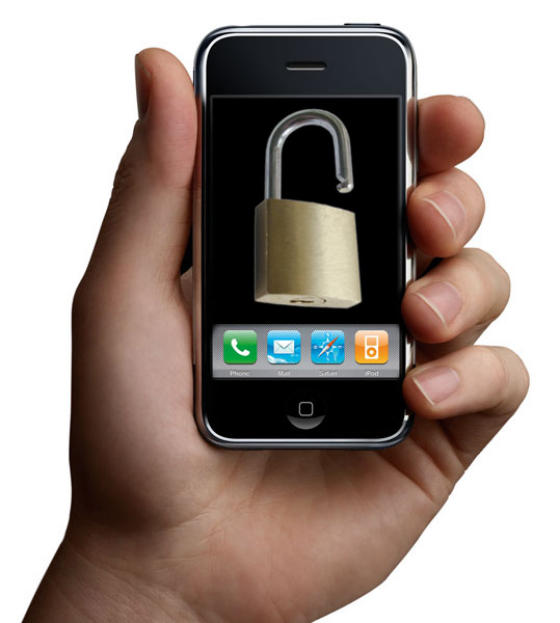
How to Unlock a Mobile Phone
How to unlock a mobile phone is one of the most frequently asked mobile phone questions. Most network operators lock the phone to their network when you take out a contract for a subsidized phone. You must then unlock the mobile phone yourself if you wish to switch to a different network at a later date.
This How To shows you how to unlock a mobile phone through the network operators’ own services, specialized web services, and by doing it yourself.
Important – Before you begin, you should note that an unlocked phone is one that you own, and one that you have the right to unlock (subject to the operator’s conditions and the country in which you live – see below).
In contrast, a blocked phone is one that’s been stolen and has been black-listed by the networks. Generally, either you or the person who sold the phone to you, do not own this phone, and therefore it’s illegal for you to try to unblock it.
Also note that unlocking your phone legitimately using the wrong code will cause problems. Specifically, if you enter the wrong unlocking code 5 times, the phone will ‘hard lock’, after which you’ll only be able to unlock it using specialist (and usually hard to buy) software.
The information you need to unlock your mobile phone
To unlock your mobile phone, you’ll need the following information:
- Your mobile phone number
- The network (and country) to which the phone is locked
- The manufacturer and model number
- The phone’s IMEI number. This is a 15 digit serial number, which you can find by typing *#06# on your phone’s keypad.
Unlocking your mobile phone in the UK
In the UK, unlocking your mobile phone is easy: you just phone your network operator up and tell them you want to unlock it. OFCOM, the UK’s telecoms regulator, states that you have the right to unlock your phone providing it’s a pre-paid phone and the operator has recovered any subsidy, or it’s a pay monthly phone over 12 months old.
According to Virgin Mobile:
Just give your existing network a call and tell them you want to switch. You may need to give them one month’s notice and pay an unlocking fee of £35 or more. Next your provider will give you a code. Simply type it into your phone. A couple of seconds later, your phone will be unlocked and ready to go!
I can personally vouch that this approach works and is as simple and painless as Virgin state. I switched from an O2 contract to a Virgin Pay As You Go plan after my phone was 12 months old, and the whole process was completely painless. You even get to keep your existing mobile phone number (but remember to store any contact details or other info you want to keep from you old SIM first).
Unlocking your mobile phone in the US
In the US, things are slightly different, and it very much depends on which operator you use. According to PCWorld:
T-Mobile will provide unlocking codes 90 days after you subscribe. Cingular generally doesn’t help customers unlock phones, but makes exceptions on a case-by-case basis, says spokesperson Ritch Blasi. Sprint won’t unlock phones–period. (Verizon Wireless says its CDMA handsets are unlocked.)
Unlocking a mobile phone without help from your operator
If your operator won’t help you unlock your phone, don’t panic – a number of services exist to do the job for you. There are thousands of web sites that will provide the code you need (for a fee, naturally!), plus help from users in dedicated forums, and many high street stores will help you, too.
Be warned, though, that the service may not work, and the wrong code used 5 times will force your phone to hard lock (see above). Do research first on your phone’s exact model, and think about using a shop that provides a guarantee if it goes wrong.
Unlocking the phone yourself
If you want to unlock the phone yourself, you need to find the right code for your exact model. You can do this by searching some of the many mobile phone forums, or you can use software that will calculate the code for you.
Phone unlocking forums
Some useful forums to seach for your code include:
Software to unlock your phone
Useful software to unlock your phone includes the following:
- LG Unlocking calculator
- Nokia Unlocking calculator
- Software to unlock some Siemens, Panasonic and Nokia phones
- Universal SIMLock remover (many makes and models)
FAQs on unlocking your mobile phone
- CantBArsed.com’s FAQ on unlocking your mobile phone
- TechFAQ’s FAQ on unlocking mobile phones
Unlocking your phone from other countries
If you live outside the US or UK, you’ll have to look around for the information you need, as I can’t provide info for every country.
Hopefully the links here will provide a good starting place for you to find out how to unlock your phone in whichever country you live.
Summary
Unlocking your mobile phone really shouldn’t be difficult, and in many countries, it isn’t. But as ever in mobile phone land, things are never that simple, and unlocking a mobile phone can be an extremely technical endeavour.
Hopefully this article has provided you with all the info you need to get started, and a range of useful links for you to go and find out how to unlock your mobile phone.